
Sponsor

2015/10/21

How to view international data


Hey there,

Did you know you can view international data when using Follow? This kind of data is at the moment available for:

  1. Search Engine Optimization (SEO)
  2. Search Engine Marketing (SEM)
  3. Display Advertising
  4. Contextual Advertising

The other data sections do not allow you to filter the data by country. You can only view their global data. 

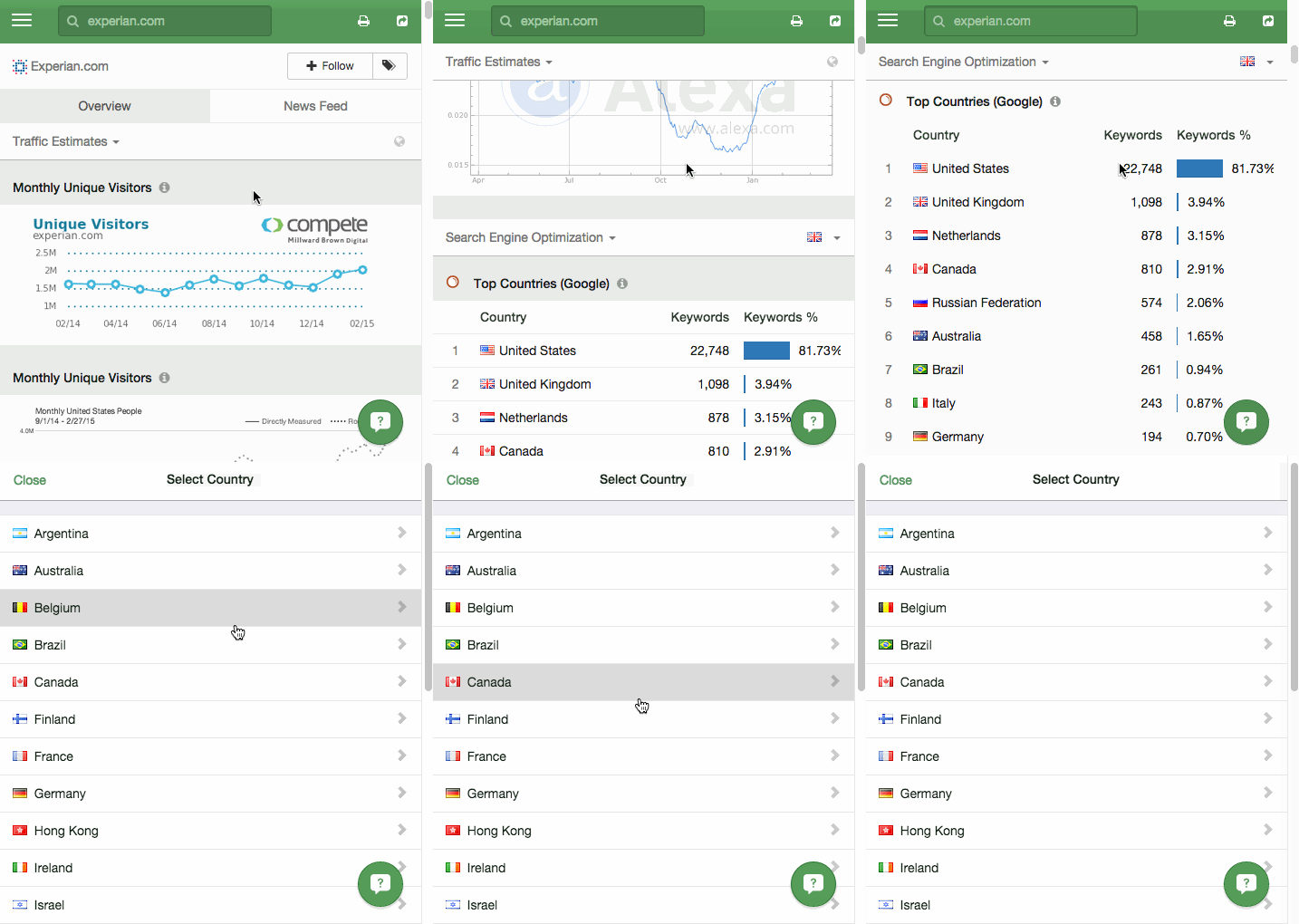
Follow these steps to view international data for the sections mentioned above:

  1. View a domain's overview data
  2. Scroll down to either the SEO, SEM, Display, or Contextual Advertising section
  3. Click on the country icon in the top-right of the section header
  4. Select your country
  5. You'll notice now when you view a stat it'll show the country's flag by it

Sections that have a globe icon, mean it's global data, there is no way to filter it by any specific country.

intercom

No comments:

Post a Comment

Keep a civil tongue.

Label Cloud

Technology (1464) News (793) Military (646) Microsoft (542) Business (487) Software (394) Developer (382) Music (360) Books (357) Audio (316) Government (308) Security (300) Love (262) Apple (242) Storage (236) Dungeons and Dragons (228) Funny (209) Google (194) Cooking (187) Yahoo (186) Mobile (179) Adobe (177) Wishlist (159) AMD (155) Education (151) Drugs (145) Astrology (139) Local (137) Art (134) Investing (127) Shopping (124) Hardware (120) Movies (119) Sports (109) Neatorama (94) Blogger (93) Christian (67) Mozilla (61) Dictionary (59) Science (59) Entertainment (50) Jewelry (50) Pharmacy (50) Weather (48) Video Games (44) Television (36) VoIP (25) meta (23) Holidays (14)

Popular Posts (Last 7 Days)