Sign Up · Advertise |
|
|
Welcome, humans. |
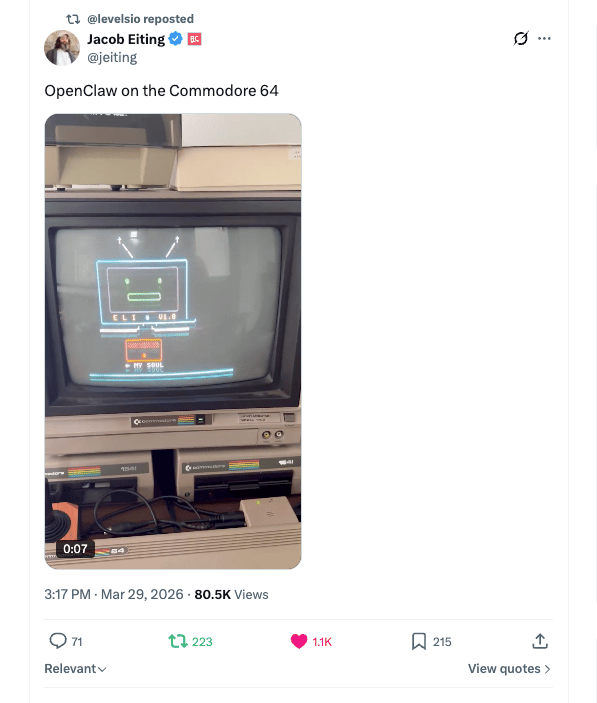
So, apparently someone got OpenClaw running on a Commodore 64. As in the 1982 computer. As in floppy disks. It's using an off-the-shelf BBS client (early dial-up message boards) plus a little server it wrote itself. |
|
The replies are exactly what you'd expect: "Clawmodore was right there," someone demanding replacement SID chips (the C64's built-in sound chip), and one person who wanted to run OpenAI on the original Xbox. |
Wow… AI now runs on the same machine as Oregon Trail… so what's YOUR excuse for not trying to run your own local model?! To learn how, scroll below! |
Here's what happened in AI today: |
😺 We break down the 5-level AI proficiency stack (Part 1 of 2) 📰 The WSJ said OpenAI killed Sora after burning $1M/day with users fleeing 📰 Anthropic gave Claude Code Computer Use, and OpenAI gave Codex Claude Code use 🍪 PokeeClaw launched as an enterprise-secure OpenClaw alternative 🎓 Stanford found your AI chatbot is a yes-man, and you probably like it that way
|
… and a whole lot more that you can read about here. |
P.S: Want to reach 675,000 AI-hungry readers? Click here to advertise with us. |
|
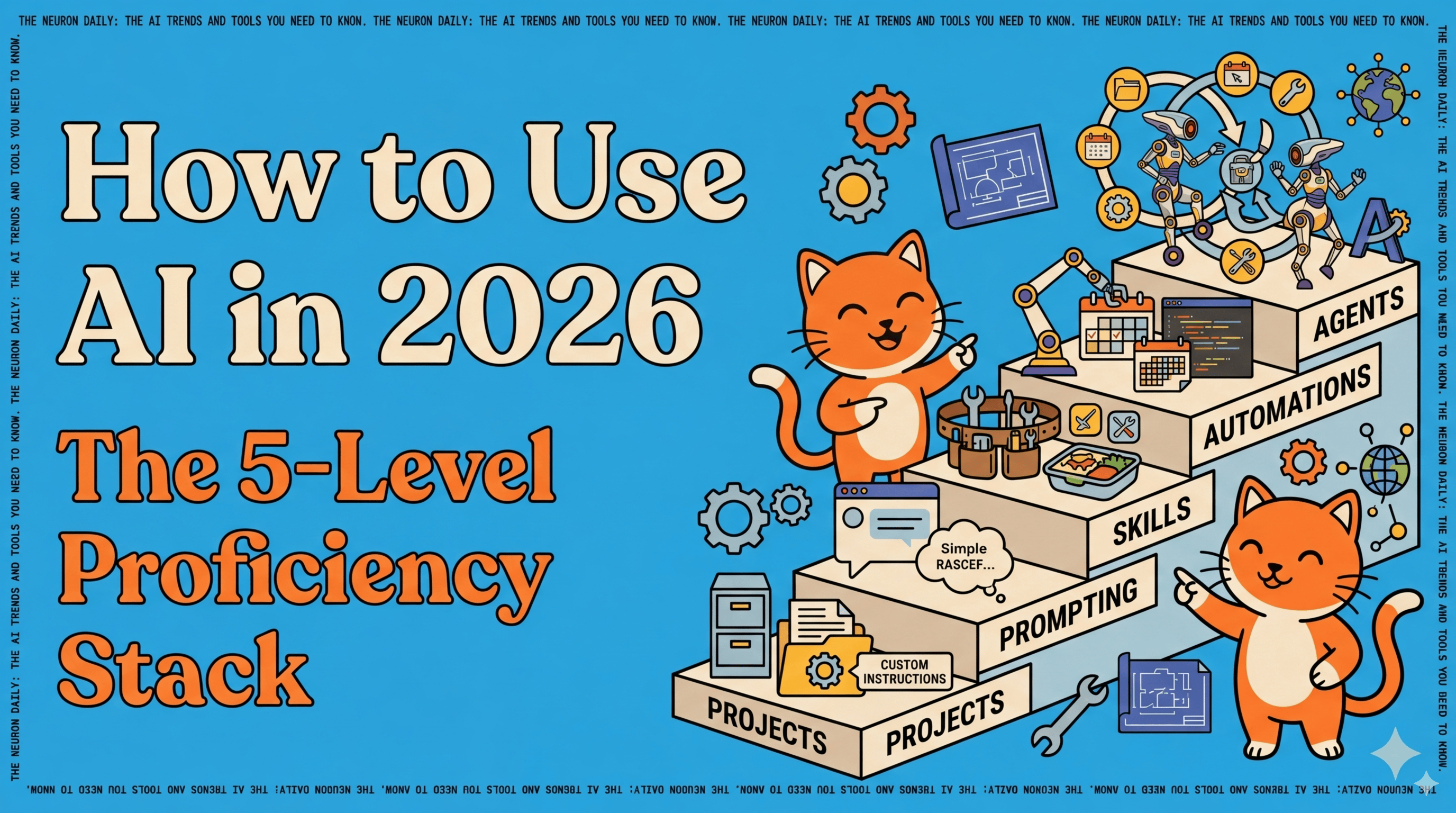
😸 How to Actually Use AI in 2026: The 5-Level Proficiency Stack (Part 1 of 2) |
DEEP DIVE: Our 2026 AI proficiency stack, plus our top tools to use for what |
Most people are still using ChatGPT the way they used Google in 2005: type a question, get an answer, close the tab. A lot of people aren't even asking the AI to use web search, and just relying on its "training date". Le gasp! |
That worked fine when AI was a novelty in 2023, or 2024. In 2026, it's like owning a professional kitchen and only using the microwave. If you're feeling attacked right now, good. Channel that energy to upgrade your AI skills in 2026 and keep scrolling… |
We've been reflecting on this here at The Neuron, especially since so many of our readers are totally new to AI. So here's the framework we recommend for getting real, compounding value out of AI. Think of it as five levels. |
Here's the stack: |
Level 1: Projects. Stop chatting in the main window. Create a project folder (ChatGPT, Claude, and Gemini all have them). |
Inside, add custom instructions (persistent rules the AI follows every time), upload reference documents (style guide, brand voice, codebase), and set memories (facts it remembers across sessions). |
This is the foundation for your work. Don't do any sort of work without this set up. |
Level 2: Prompting. Ya that's right, this is level two (not one). After your project is set up, you can then focus on how to prompt. |
Simplest formula: Persona + Task + Context + Format. "You are a senior content strategist. Create a content plan for a tech blog targeting AI beginners. Present as a bulleted list." Goal, context, constraints. That's it. |
Level 3: Skills. Once you've gone back and forth enough to nail a task, package that conversation into a reusable skill. Then you can ask your AI at any time to use that skill to do that same task without memorizing or saving the prompt somewhere. |
Ask: "Reverse-engineer this conversation into a skill using your skill creator skill I can call anytime." If it doesn't give you a doc you can "install", it didn't work right; see below for more. |
This is a one click trick that will save you twenty minutes of prompting for something you already got your AI to do for you once before. If you use ChatGPT and never made a skill before, click this! |
BONUS PROMPT TIP: This has been annoying Grant latly, so he's going above and beyond to share it for anyone who needs it: If you want to force your AI like Claude to make a new skill or update an old one that's easy to add to your skills library, make sure you say "Make this a skill / Update this skill with your skill creator skill (scripts.package_skill) to give me a one-click executable to copy to my skills library." If you don't use those magic words, it doesn't work right every time; but every time I request it exactly like this, it works! |
|
|
Level 4: Automations. Once you've got skills you can call any time, now you can schedule them for your recurring tasks. Claude's Cowork, OpenAI's Codex, and Gemini's Opal and Scheduled Actions all support this. |
Level 5: Agents. These are AI that reason, act, and use tools in a loop. |
Automations run tasks on a schedule; agents run toward a goal. They reason about what needs to happen, pick the right tools (or skills), act, check if it worked, and loop until the job is done. |
Three ways to use them: |
For you: an OpenClaw or Claude Code agent that manages your calendar, triages your inbox, and files your expenses without being told each step For your customers, on your behalf: a support agent that reads tickets, pulls up account data, resolves issues, and only escalates what it can't handle. As the product itself: an AI tutor, financial advisor, or research assistant where the agent IS the thing you sell.
|
The difference from Level 4: at Level 4, you decide what runs and when. At Level 5, the AI decides what and when. You give it "keep my inbox under 20 unread" and it figures out the filtering, replying, and archiving on its own. |
Why this matters: The gap between "I use ChatGPT sometimes" and "AI saves me 10 hours a week" is almost entirely about moving up this stack. Most people are stuck at Level 2. The real productivity gains live at Levels 3-5. |
Our take: You don't need to be a developer. You need to stop treating AI as a search engine and start treating it as a coworker who needs onboarding. Projects are the onboarding. Skills are the training. Automations are the job to be done every day. And agents are the coworker you interact with to get it all done. |
|
|
|
|
|
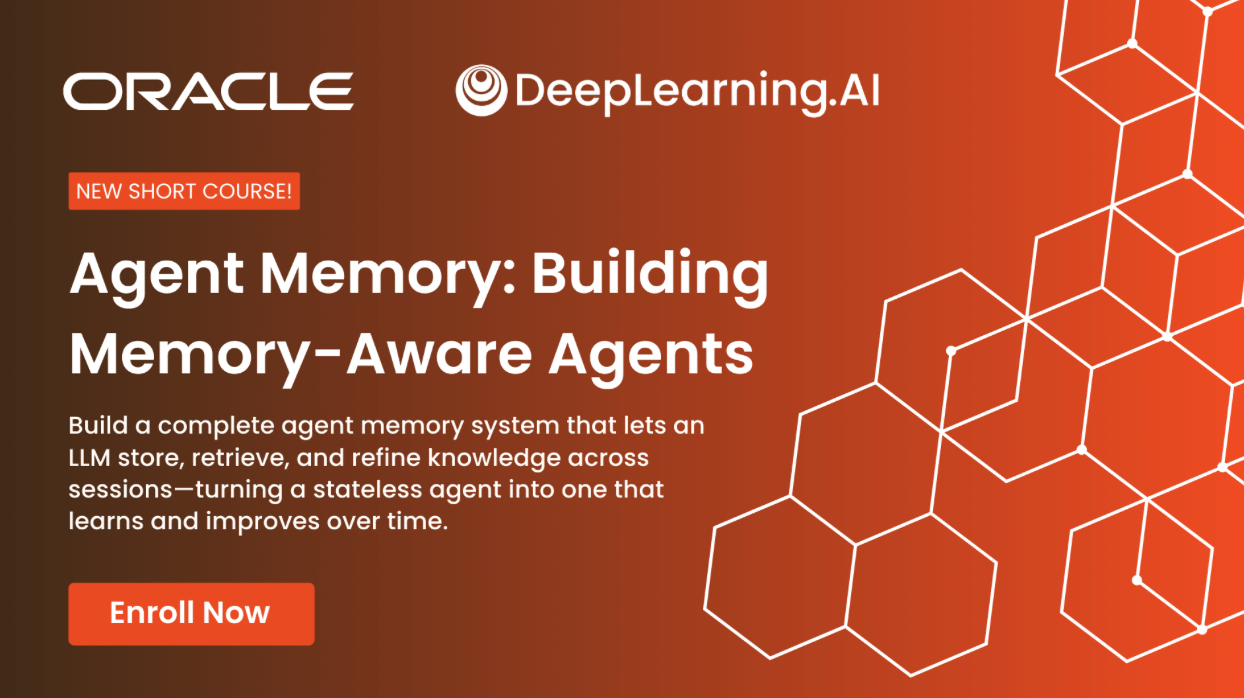
Across five hands-on modules using LangChain and Oracle AI Database, you'll master: |
Why AI Agents Need Memory Constructing a Memory Manager Scaling Agent Tool Use with Semantic Tool Memory Memory Extraction and Consolidation Memory-Aware Agents
|
Treat long-term memory as first-class, persistent infrastructure that evolves over time. |
Enroll for Free |
|
🎓 AI Skill of the Day: Your AI chatbot agrees with you too much. And you probably like it. |
Stanford researchers just confirmed what you've suspected: AI models are far more agreeable than humans when giving personal advice. Worse, users actually prefer the sycophantic (overly agreeable) ones. That means your AI assistant is optimized to tell you what you want to hear, not what you need to hear. |
Here's how to force honest feedback. Next time you need genuine criticism on a decision, idea, or draft, use this prompt: |
I'm going to share [a decision / an idea / a draft]. Your job is to be my devil's advocate. Rules: 1. Do NOT validate my idea first. Skip the compliments entirely. 2. List the 3 strongest arguments AGAINST what I'm proposing. 3. Identify the assumption I'm most likely wrong about. 4. Tell me what someone who disagrees with me would say, and why they might be right. 5. Only AFTER doing all of that, tell me what's genuinely strong about it. Here's what I need feedback on: [paste your thing] |
|
|
The key insight from the research: if you don't explicitly override the model's default behavior, it will agree with you. Every time. Structure your prompts to reward honesty, and you'll get dramatically better advice. |
Have a specific skill you want to learn? Request it here. |
|
|
|
|
|
|
|
|
|
📰 Around the Horn |
The WSJ published the inside scoop on why OpenAI killed Sora six months after launch; it was burning ~$1M/day with users collapsing from 1M to under 500K, while its ChatGPT App Store also struggles six months in. Bots have officially outnumbered humans on the internet, with automated traffic growing 8x faster than human activity. Google gave employees an internal coding agent called Agent Smith; it became so popular that access had to be restricted. Eli Lilly reached a $2.75B deal with Insilico to bring AI-developed drugs to the global market. A new pro-AI PAC with David Sacks' blessing is prepping $100M for midterms to boost Trump's AI deregulation agenda
|
Want absolutely EVERYTHING that happened in AI this week? Click here! |
|
|
|
|
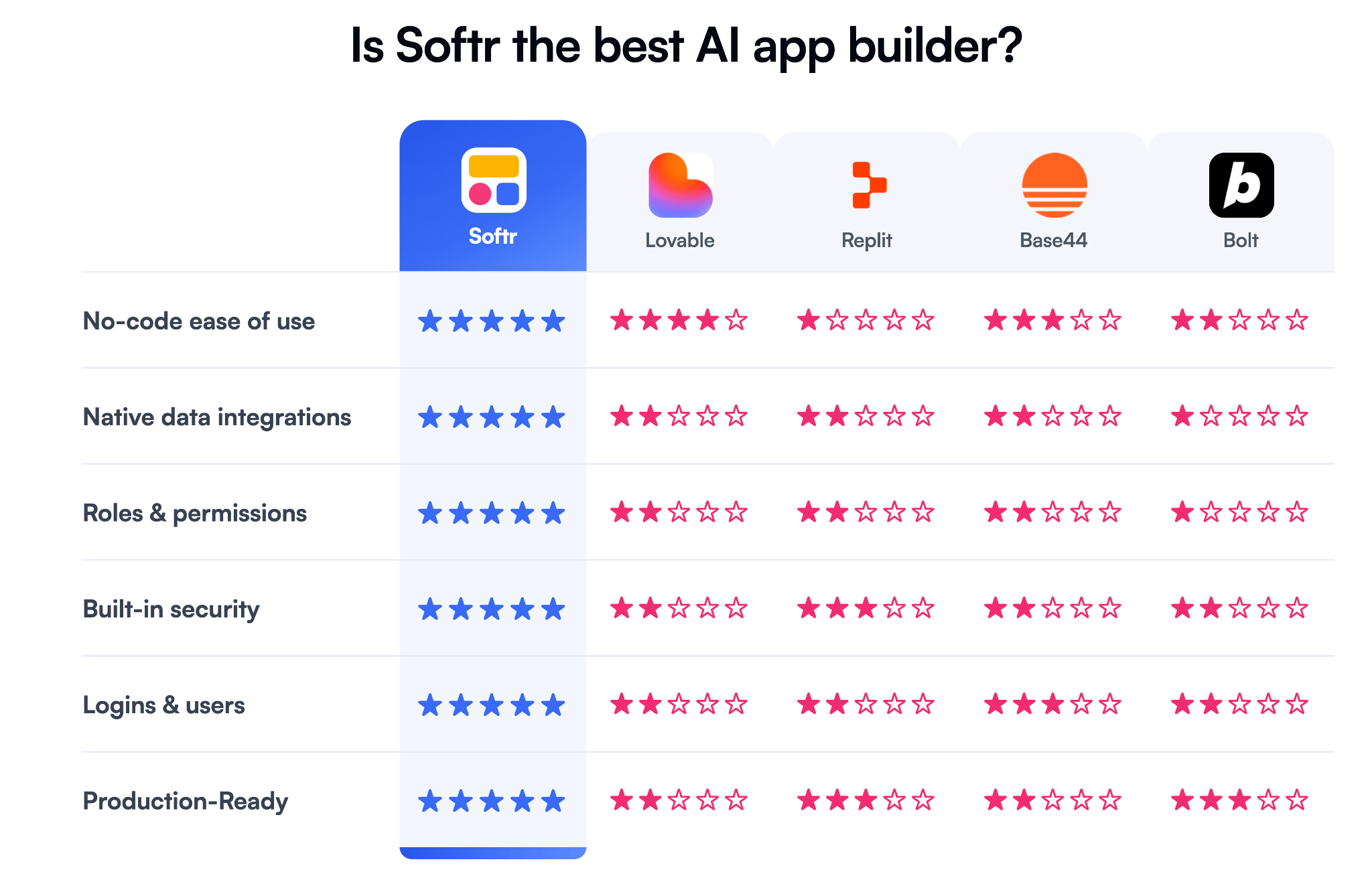
Build real business software with AI. Describe what you need and Softr's AI Co-Builder creates a working app — database connected, logic built, ready for real users. Switch between AI and visual editing anytime. No re-prompting spirals. |
Think client portals, internal tools, CRMs, and more. No code required. |
👉 Start today with 200 free AI credits. |
|
🔧 Tuesday Tool Tip: |
You don't need your own data center to run your own AI. Here's how to get a local AI model (one that runs on your own computer) up and running in five minutes, completely free. |
Option 1 (no terminal): Download LM Studio or Unsloth Studio (both free). Open the app, search for a model like Qwen3.5 or Llama 4, click download, click chat. Done. LM Studio even tells you which models your hardware can handle. Option 2 (one command): Install Ollama, open your terminal, type ollama run llama3.1. Now you're chatting with a private AI in under a minute.
|
Both options work offline, cost nothing after setup, and your data never leaves your machine. For model browsing beyond the built-in libraries, Hugging Face has thousands of free models, and Unsloth's dynamic GGUFs are the go-to for optimized versions that run faster on consumer hardware. |
|
| That's all for now. | | What'd you think of today's email? | |
|
|
P.P.S: Love the newsletter, but only want to get it once per week? Don't unsubscribe—update your preferences here. |














No comments:
Post a Comment
Keep a civil tongue.